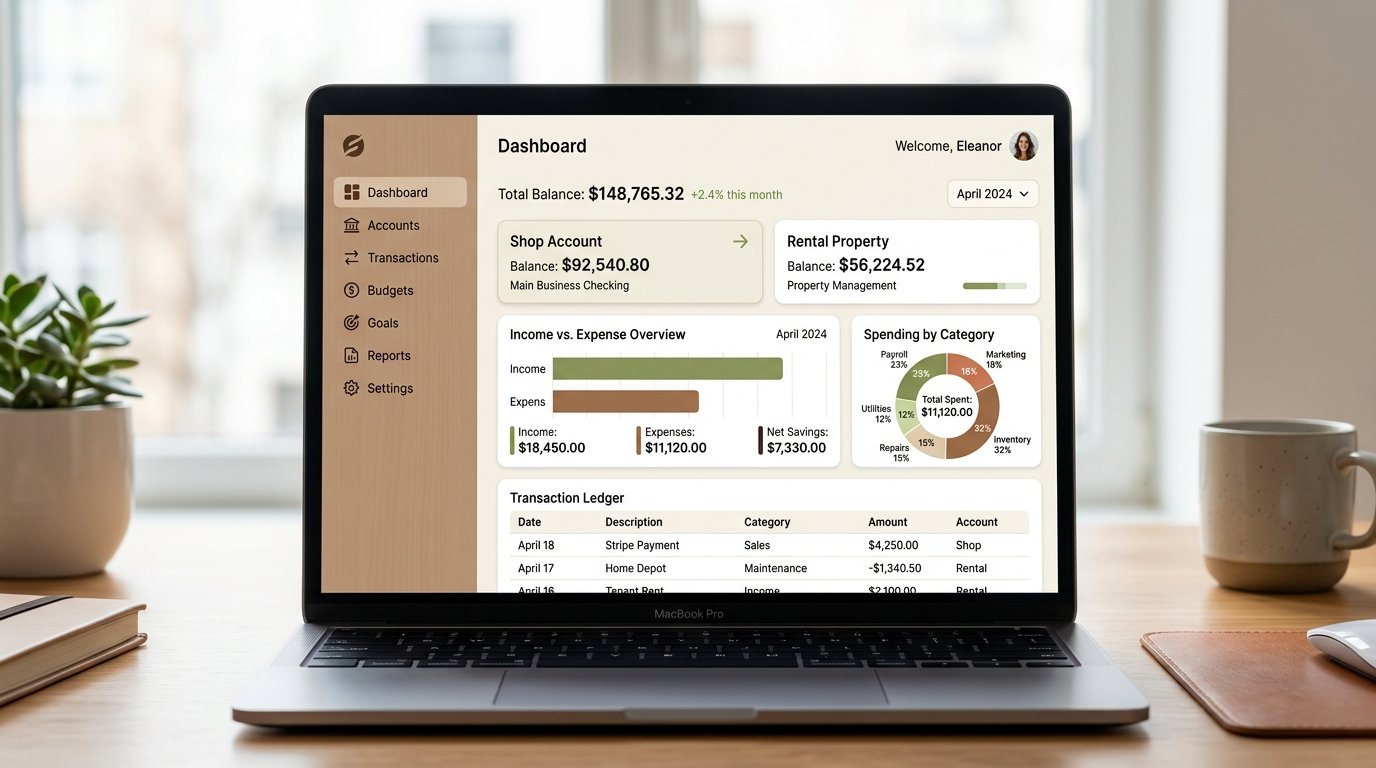
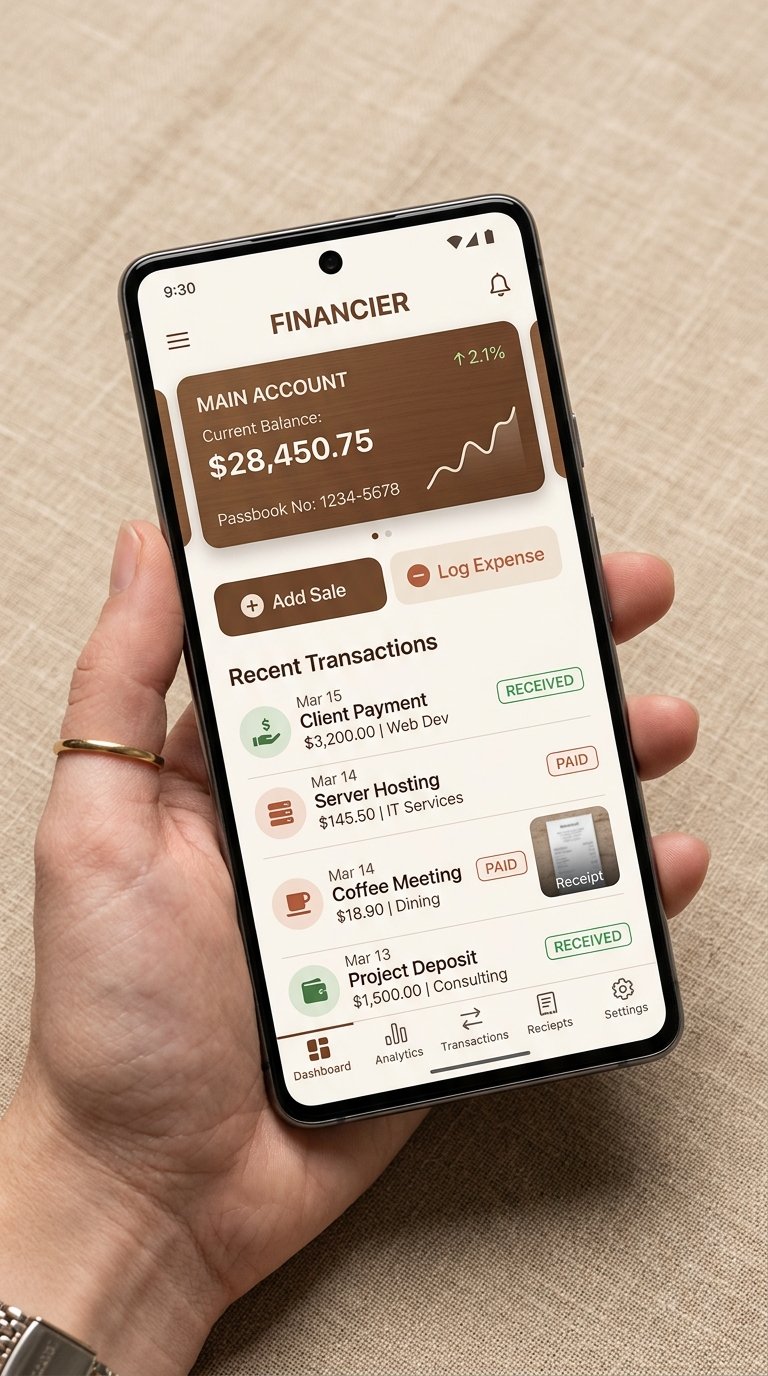
Stop mixing shop inventory cash with property rent or personal expenses. Run independent account books, track automatic live running balances, attach digital receipt photos, and export tax-ready statements effortlessly.
Running a commercial counter while collecting rental payments is demanding. Clunky manual records cause small daily cash leaks to compound into major year-end losses.
Shop inventory cash pays for building repairs, and grocery money accidentally buys stock. Without strict account boundaries, you can never tell which business is actually profitable.
Adding yesterday's balance to today's receipts in a paper notebook invites human error. One misplaced zero or forgotten receipt forces you to spend hours hunting for discrepancy errors.
Thermal paper receipts tossed into a shoebox fade into blank paper within four months. When suppliers challenge an invoice or tax filing comes around, you have zero proof left.
Click between the account tabs below to see how each business maintains its own isolated live balance without page reload.
| Date | Category & Note | Receipt | Inflow / Outflow | Running Balance |
|---|---|---|---|---|
| Attached None | Rs | Rs |
Engineered from the ground up to be simple and clear for business owners, while keeping your accounts accurate and tax-ready.
Create independent books for each shop branch, rental building, wholesale line, or personal pocket cash. Each book starts with its own initial balance and never allows funds to bleed into another account.
View every transaction in chronological sequence just like a bank register statement. Every row displays the live balance right after that entry. If you filter by date, the opening balance adjusts retroactively.
Categories are strictly classified as either Income or Expense. Smart validation prevents anyone from accidentally logging rent income as an expense, keeping reports completely pristine.
Take a quick photo on your phone or upload a supplier invoice PDF directly to any transaction. When your accountant or partner asks about a charge, click the attachment icon to view original proof.
Tapped delete by mistake? Safe archiving ensures the record is immediately excluded from active calculations while remaining securely recoverable in the background so you never lose valuable records.
Sign in to an executive summary showing total combined balance across all businesses, this month's net profit/loss, a category-wise expense breakdown donut chart, and tabbed recent transactions.
Search your history with laser precision. Combine filters effortlessly: select 'Shop Account' + 'Stock Category' + 'Only Expenses' + 'Last 30 Days' to find an exact transaction in two seconds flat.
At month-end, the system automatically seals an immutable historical closing record per account: opening balance, total income, total expense, and closing balance. See your full year's progress at a glance.
Generate beautifully formatted financial statements with opening balance, all line items, and closing figures. Download ready-to-print PDF documents for banks or Excel sheets for your accountant.
Carry your ledger in your pocket. Record sales straight from the shop counter or log maintenance expenses at a rental property. Direct Android APK download available with real-time cloud sync.
Strict user account isolation safeguards your books. If you ever forget your password, the system issues a secure, time-sensitive 2-minute OTP code directly to your email with a live countdown timer.
Never postpone recording a transaction until you reach home. Snap supplier receipts on the spot, log collected rental payments with immediate balance updates, and check your cash position anywhere, anytime.
Handing a box of scrap papers to your tax advisor costs you thousands in accounting fees. With Ledgerly, generate formal, branded statement reports organized chronologically with category totals in seconds.
Clean printouts showing account title, exact period opening balance, all chronological transactions, and finalized closing balance.
Export raw, clean data with proper headers and numeric columns. Your accountant can directly import it into their office tax software.
Everything you need to know about setting up your books, downloading the APK, and securing your finances.